
Bacon Hub is a widely used script in Roblox that provides convenient and time-saving options for 99 Nights and Fish It! The script is used by players to gain access to smooth auto-farm resources, fast grinding, item assistants, and an easy-to-use GUI that supports most executors. The script aims to make playing easier, faster, and more enjoyable without the need for grinding.
Becon Hub Script Code
Copy the code bellow, you can use the same script in your 🦃 99 Nights in the Forest as well as 🐟 Fish it Roblox gameplay.
loadstring(game:HttpGet("https://raw.githubusercontent.com/vinh129150/hack/refs/heads/main/BaconHub.lua"))()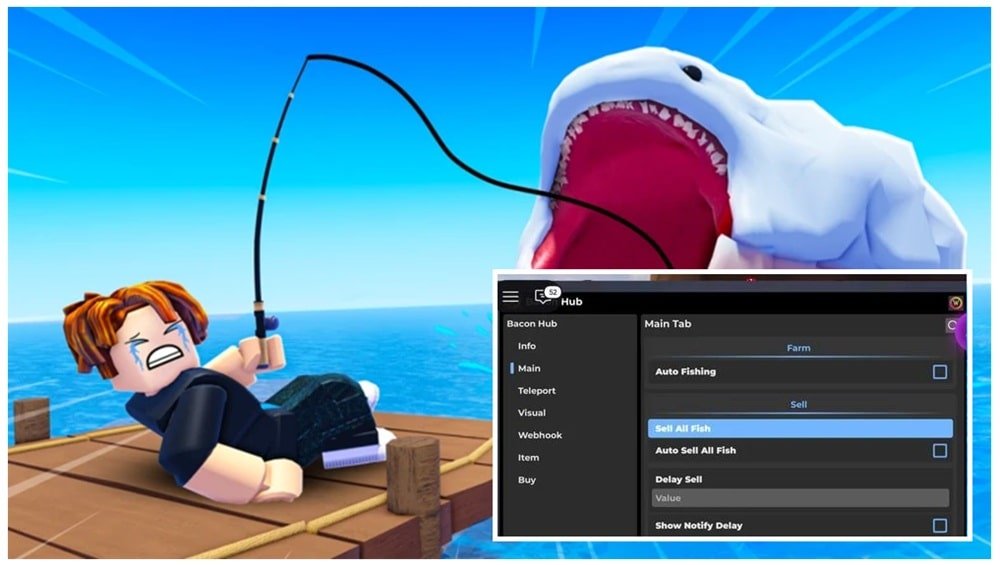
Bacon Hub Script – Top Features
- Auto Farm Tools – Helps automate basic tasks for faster progress.
- Auto Collect – Picks up drops, rewards, and loot automatically.
- Auto Attack / Auto Catch – Assists with fighting in 99 Nights and catching fish in Fish It!
- Fast Grind Options – Speeds up leveling, coins, and item gains.
- Teleport & Navigation Tools – Quickly move to key locations or farming spots.
- Clean, Easy-to-Use GUI – Simple menu layout that works on most devices.
- Custom Settings – Allows players to toggle features and adjust them to their playstyle.
Compatible Executors
How to Use Bacon Hub Scripts Safely
Using scripts in Roblox usually requires a special tool called a Roblox script executor. These programs let players run custom code inside a game. Because they come from outside Roblox, it’s important to be careful and choose tools that are trusted and safe.
- Pick a Script Executor
Different devices use different tools. Some executors like Delta, Krnl & Codex are more popular on Android, others like Xeno on PC or iOS. Players usually look for ones that are stable, updated, and well-known in the community. We recommend using Delta Executor which gets regular updates every week. Krnl was the best but its currently shutdown officialy. - Install the Executor
After choosing Roblox executor, install it on your device. The setup is similar to adding any other app or program. Some mobile devices may require extra permissions before installation. - Get the Script
Players then copy the script code they want to use. They often look for versions that are updated and don’t require keys. - Load the Script
Once inside the game, players open the executor, paste the script, and run it. This usually brings up a menu where they can turn features on or off, such as farming tools or item spawners.