
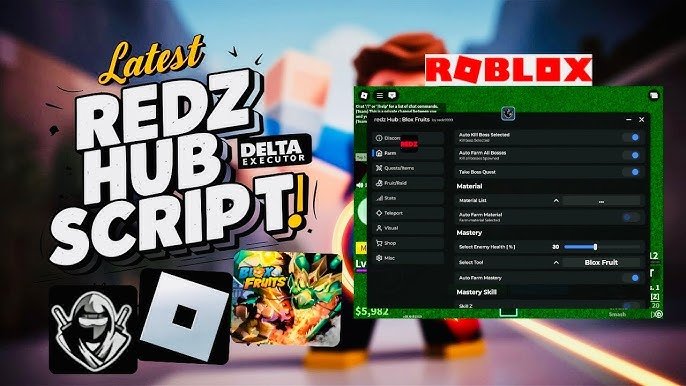
Redz Hub Script Roblox is an advanced and widely used all-in-one Roblox script hub that enables users to use multiple scripts from a single interface. The script is designed to be compatible with most of the popular Roblox executors and provides automation scripts, gameplay utilities, and quality-of-life features in most popular Roblox games.
Redz Hub Script is widely used due to its clean interface, regular updates, and excellent support for various game modes. Whether you are playing grinding games, PvP games, or simulator games, Redz Hub Script has optimized scripts for better performance and less manual work.
What Is Redz Hub Script?
Redz Hub is a multi-game Roblox script hub developed in Lua that can run on supported Roblox executors. Rather than loading separate scripts for each game, Redz Hub allows users to manage everything from a single hub.
Key Features of Redz Hub Script Roblox
- All-in-one Roblox script hub
- Supports multiple popular Roblox games
- Auto-farm and auto-grind features
- Player movement enhancements (speed, jump, teleport)
- Combat and PvP assistance tools
- UI customization and toggles
- Regular updates for game compatibility
- Clean, easy-to-navigate interface
- Auto Join Team
- Translator
- Auto-Form / Auto-Collect
- Teleportation
- Combat Helpers (Auto-Boss / Fast Attack / God Mode / Freeze)
- ESP (See-Through / Markers)
- Movement tweaks (Walk Speed / Jump Power / Speed Hack)
- FPS Boost / Performance tweaks
- Universal GUI (menu)
- Game-specific modules
- Keyless / Easy access
- Auto-updates & Anti-detection attempts
Redz Hub (NEW) Working | Get Redz Hub Script for Blox Fruits Roblox | Best Auto Farm Features
loadstring(game:HttpGet("https://raw.githubusercontent.com/huy384/redzHub/refs/heads/main/redzHub.lua"))()Redz Hub Script Code | Updated 2025
loadstring(game:HttpGet("https://raw.githubusercontent.com/tlredz/Scripts/refs/heads/main/main.luau"))()local Settings = {
JoinTeam = "Pirates"; -- Pirates / Marines
Translator = true; -- true / false
}
loadstring(game:HttpGet("https://raw.githubusercontent.com/tlredz/Scripts/refs/heads/main/main.luau"))(Settings)Other Latest Redz Hub Roblox Scripts
loadstring(game:HttpGet("https://pastefy.app/ACOX6D6h/raw"))()loadstring(game:HttpGet("https://raw.githubusercontent.com/REDzHUB/BloxFruits/main/redz9999"))()Meme Sea Script 2025
loadstring(game:HttpGet("https://raw.githubusercontent.com/realredz/MemeSea/refs/heads/main/Source.lua"))()Redz Hub Blade Ball Roblox Scripts
loadstring(game:HttpGet("https://raw.githubusercontent.com/REDzHUB/BladeBall/main/redz9999"))()Pet Simulator 99 Script
loadstring(game:HttpGet("https://raw.githubusercontent.com/REDzHUB/PetSimulator99/main/redz9999.lua"))()Supported Games
Redz Hub Script is a multi-game Roblox script hub, meaning support may expand or change with updates. As of the latest versions, Redz Hub commonly supports the following games:
- Blox fruits: This script will automate farming and enhance battles so that you can navigate into the seas and become a master pirate with these amazing tools.
- Fisch: Enjoy streamlined gameplay with Auto-fishing and resource management features that are tailored according to fisch mechanics.
- Pet Simulator: The automation tools of Redz hub script will make grinding a breeze so that you can level up your pets and dominate the leaderboard faster.
Compatible Executors
Why Use Redz Hub Script?
Redz Hub Script is a time-saving script that allows multiple scripts to be combined into a single hub. Rather than searching for multiple scripts for different games, users can simply turn on the features from the hub itself.
Is Redz Hub Script Safe?
Redz Hub Script is a very popular script in the Roblox scripting community. Nevertheless, scripts are not endorsed by Roblox, and there is always a risk involved. To avoid any problems, users should:
- Use a trustworthy executor
- Do not use outdated versions
- Use scripts only from trusted sources
How to Use Redz Hub Script Roblox
- Download and install a compatible Roblox executor
- Launch Roblox and attach the executor
- Paste the Redz Hub script into the executor
- Execute the script and open the hub UI
- Enable features as needed